Exploring Data
The TrackVision interface provides powerful tools for browsing, searching, and managing collections of data. Whether you're working with products, organizations, locations, or any other data type, these exploration features help you quickly find and work with the information you need.
Data Explorer Overview
The data explorer serves as your primary interface for viewing and interacting with collections of items in TrackVision. Each collection type (products, organizations, events, etc.) can be explored using sophisticated filtering, searching, and viewing capabilities.
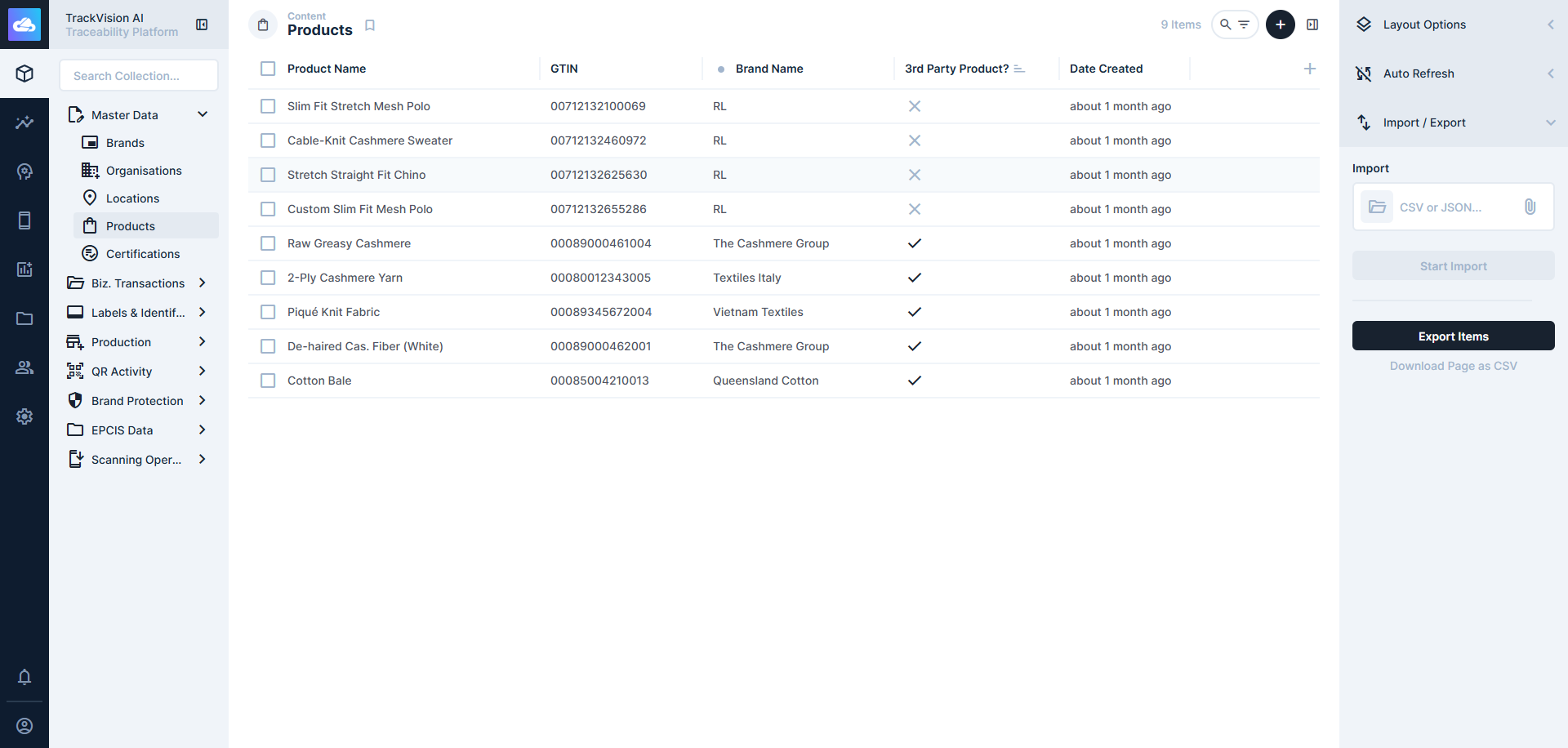
Key Navigation Elements
Collection Browser
- Collection Listing: View all available data collections in your TrackVision instance
- Item Count: See how many items exist in each collection
Content Views
- Multiple Layout Options: Choose from table, card, calendar, map, and kanban layouts
- Customizable Display: Configure which fields and information are shown
- Responsive Design: Interface adapts to different screen sizes and devices
- Persistent Settings: Your view preferences are saved for future sessions
Filtering and Search
Advanced Filtering
Create sophisticated filters to narrow down content based on specific criteria:
- Field-based Filtering: Filter by any field in the collection
- Multiple Criteria: Combine multiple filter conditions
- AND/OR Logic: Create complex filter combinations
- Data Type Support: Text, numbers, dates, booleans, and relational fields
- Operator Options: Equals, contains, greater than, less than, and more
- Nested Groups: Build hierarchical filter structures
Search Capabilities
- Global Search: Search across all visible fields in a collection
- Targeted Searching: Search within specific fields
- Advanced Operators: Use wildcards and boolean operators
- Search Filters: Combine search terms with filter conditions
Multi-Item Operations
- Checkbox Selection: Select individual items or entire lists using checkboxes
- Bulk Updates: Apply changes to multiple items simultaneously
Bookmarks and Saved Views
- Save Current View: Store your current filter, sort, and layout settings
- Named Bookmarks: Give descriptive names to saved views
- Default Views: Set preferred default views for different collections
- Personal vs Shared: Create private bookmarks or share with team
Customizing Your Experience
- Default Layouts: Set preferred layout types for different collections
- Column Configuration: Choose which columns appear in table views
- Sort Preferences: Set default sorting for collections
Related Documentation
- Data Editor - Detailed editing and data creation
- Import/Export - Data import and export capabilities